
Energy Stream
2016
Client
Energy Company
Project Overview
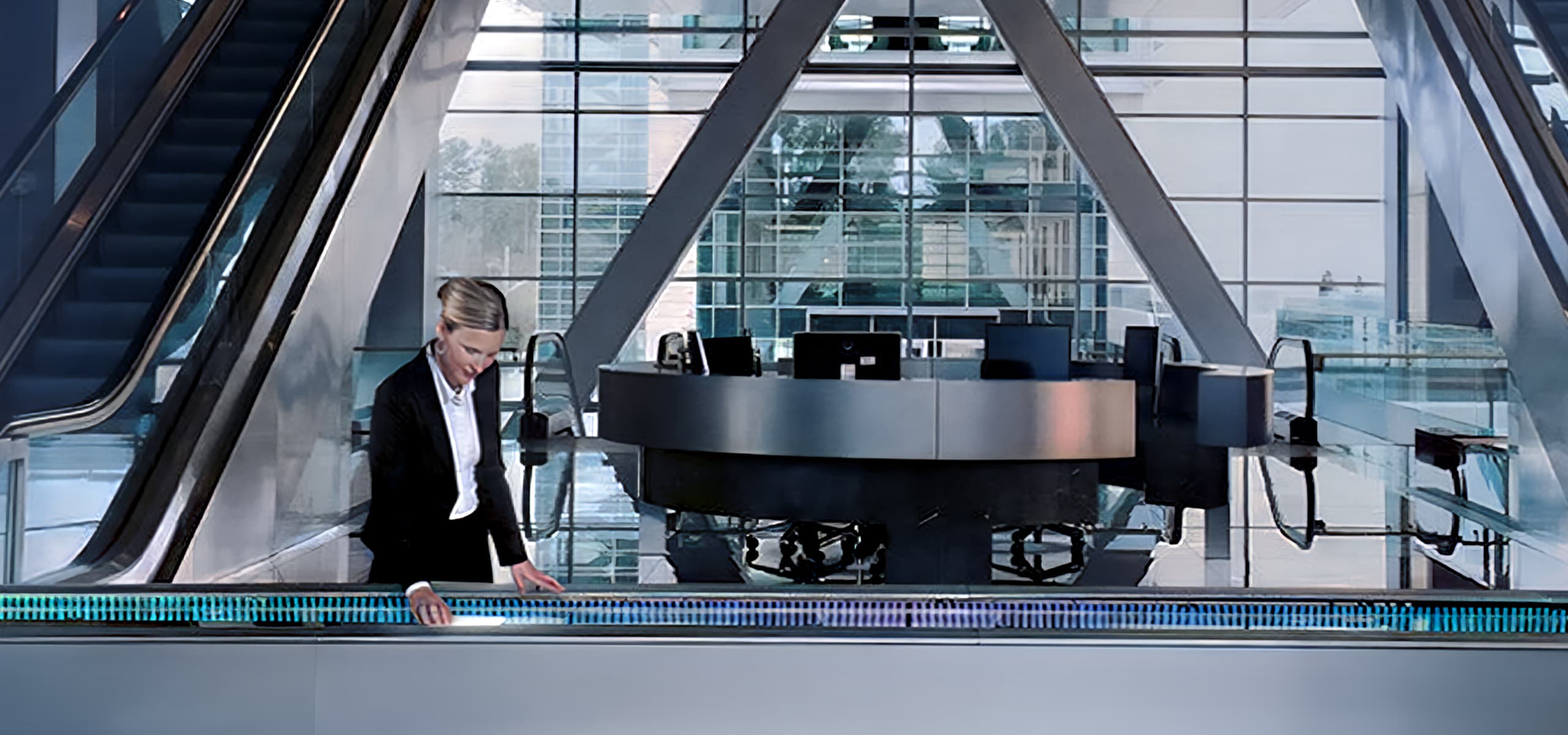
The Energy Stream was a large interactive table built for up to eight sessions at once. It energized the Energy Center by driving business-to-business engagement and creating recruiting momentum. With over two hundred stories and dynamic filters like Global Hotspot Mode, it turned interaction into impact.


01 ABOUT
The Project
01
Problem
A major energy company needed a way to showcase stories that spark business connections, captivate investors, and give new recruits a glimpse into the company. The challenge was to design an interactive table in the Energy Center that captured attention from afar, encouraged engagement, and presented complex information in a clear, immersive, and approachable way.
02
Outcome
The interactive Energy Stream captured attention from afar, drew people into the experience, and encouraged active engagement at every touchpoint. Complex information was presented in a way that felt clear, immersive, and approachable, turning the Energy Center into a space where visitors could explore, interact, and connect with the company in a meaningful and memorable way.
02 DISCOVERY
Building Clarity Before Building Solutions
After client discovery, experience drivers and key audiences became clear. I defined experience goals, aligned them with guiding principles, and mapped how users would move through the platform to achieve outcomes. I then focused on who the users are, what challenges they face, and what they are trying to accomplish. These insights informed every decision and shaped an experience designed to reduce friction and support user goals.


03 CONCEPT
Delivering an Engaging Experience
Once I had a clear understanding of user needs, I moved quickly into project mapping, zeroing in on user pain points and finding the sweet spot where business objectives and user experience actually met. I focused on creating effortless navigation from high-level overviews down to detailed content, while making sure each story flowed smoothly into the next, keeping users oriented, engaged, and in control.


04 CONTENT STRATEGY
Building the Narrative
Working with the client, I formulated the stories into six distinct lenses, each telling a cohesive narrative, and defined four thematic drivers to act as the common thread woven through every story. This approach allowed us to communicate the company’s past, present, and future, highlighting key moments that kept users engaged while meeting experience goals.


05 WIREFRAMING
Getting Structured
Once I had a clear understanding of our objectives, I began translating ideas into wireframes, moving quickly to identify issues and make adjustments with minimal effort. I focused on both high-level navigation and in-story pathways, while also exploring how multiple sessions could run simultaneously. Throughout the process, I iterated extensively, always guided by experience goals and audience needs as our north star.


06 NARRATIVE ARCHITECTURE
Crafting With Detail in Mind
Working closely with the content strategist, I selected the best template mix for each story, typically five to ten templates drawn from a set of more than fifteen, with select stories using custom layouts. I curated imagery from our asset library, crafted original illustrations, and collaborated with motion designers to assemble each story in a cohesive and engaging way that kept users moving through the experience.


05 DESIGN DEVELOPMENT
Finalizing the Experience
While story crafting was underway, I was simultaneously dialing in the final details of the experience by refining ambient modes, story mode, global assets, patterns, and timeline views, while also locking in the final templates. Once all the pieces were in place, I partnered closely with the client to onboard their team to the CMS, enabling them to confidently scale the platform and continue adding new stories on top of the 200 we had already crafted.